

Table of Contents
Smart thermostat upgrade is one of the most effective and realistic ways for homeowners to cut energy bills, gain precise control, and modernize HVAC systems without a complicated home renovation. This guide breaks down the latest 2024 savings data, technical features, and actionable steps for an upgrade that actually delivers—minus the manufacturer hype.
Key Takeaways
- Smart thermostat upgrades provide average energy bill reductions from 10% up to 23%—actual savings depend on your usage habits and HVAC efficiency.
- Modern models use AI, machine learning, and remote connectivity for intuitive comfort and energy automation. Setup challenges remain, especially in older homes.
- While upfront costs vary, careful research and correct installation ensure long-term ROI. Combining upgrades with other smart home features increases value.
The Core Concept
A smart thermostat upgrade replaces your standard programmable or manual thermostat with a WiFi-enabled model that automates temperature, learns your preferences, integrates with your phone or voice assistant, and helps you manage energy costs transparently. With the right device and installation, you can set schedules, monitor real-time usage, and even let the system optimize itself for cost savings.
Why upgrade? Upgrading to a smart thermostat brings measurable benefits in 2024:
- Energy Savings: Most users save between 10% and 23% yearly on heating and cooling costs. Source
- Automation & Comfort: AI and machine learning recognize patterns and automatically adjust settings for comfort and efficiency (latest research).
- Remote Control: Adjust settings on the go through your phone—great for unexpected schedule changes or travel.
- Future-Focused Home: Integration with smart home platforms enables complete climate management alongside devices like smart garage door openers. See how smart upgrades multiply value.
Step-by-Step Guide
Upgrading to a smart thermostat is a straightforward project—but a few overlooked details can cause headaches. Follow this guide for a seamless experience, whether you DIY or hire a pro.
- Assess HVAC compatibility. Most smart thermostats work with 24V systems, but check if yours is heat-only, cool-only, or uses high-voltage wiring. Review manufacturer charts for compatibility.
- Turn off furnace/AC power. Safety first—switch off the circuit breaker to your HVAC system.
- Document and label wires. Remove the old thermostat faceplate. Photograph and label all wires before disconnecting.
- Install the new base plate. Use a level to mount the included plate, aligning wire openings.
- Connect wires as labeled. Use push-fit or screw terminals according to your new device’s instructions.
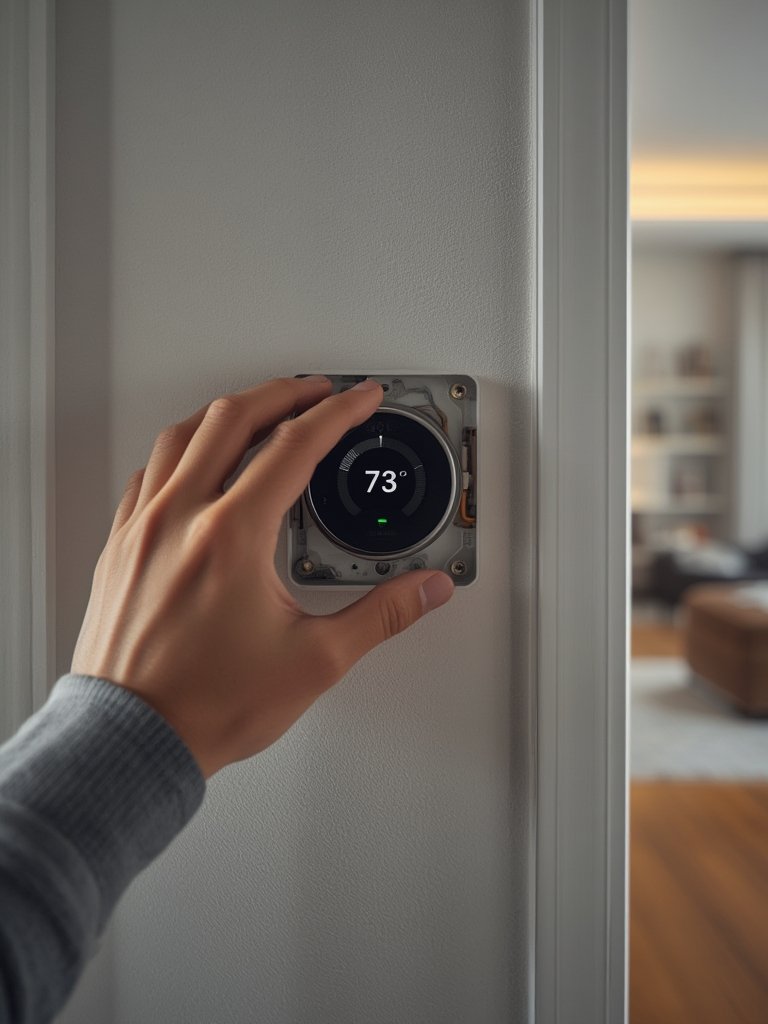
- Attach display and power up. Slide on the new display and restore power at the breaker.
- Follow setup prompts. Connect the thermostat to home WiFi, create an account, and integrate with your smart home app or voice assistant. Many units offer step-by-step video guidance.
- Configure schedules and geofencing. Set temperature schedules around your lifestyle. Explore features like geofencing, which uses your phone’s location to adjust settings automatically.
- Monitor and optimize. Track your energy use via the app and use reports to fine-tune schedules. Test comfort features like “adaptive recovery” or “eco mode.”
Link your upgrade with other smart devices for full-home synergy. For example, pairing with a smart garage door opener lets you automate “away” settings for both comfort and security. Adding smart controls also boosts your property’s appeal for future buyers.
For multi-family dwellings or apartments, consider compact solutions like a ventless washer dryer combo for all-in-one, efficient living upgrades.
Advanced Analysis & Common Pitfalls
Research shows that while smart thermostat upgrades offer major benefits, pitfalls remain—especially around installation, compatibility, and inconsistent use.
- Wiring confusion: Many DIYers struggle with missing “C” wires or incorrectly matched wires, causing power failures or device resets.
- WiFi dropouts: Weak signals or older router protocols can cause intermittent loss of remote access or automation features.
- Smart home conflicts: Some thermostats have limited compatibility with certain smart hubs or voice assistants, requiring additional hubs or manual workarounds.
- Neglecting optimization: Users who “set and forget” without configuring schedules, learning features, or locking in energy-saving modes miss out on the biggest savings.
- Overpromised savings: Actual returns depend on correct setup, consistent use, and HVAC system efficiency—not all users see top-end savings advertised by brands (see Nest data).
| Feature | Honeywell Home | Nest Learning | Energy Star Certified |
|---|---|---|---|
| Avg. Annual Savings | $204 | 12% heating, 15% cooling | $100–$180 |
| AI/Machine Learning | Limited/Basic | Advanced | Varies by brand |
| Remote WiFi Control | Yes | Yes | Yes |
| Voice Assistant Integration | Google/Alexa | Google/Alexa | Device dependent |
| Time-of-Use Optimization | Manual | Automated | Device dependent |
Note: Full integration details and installation costs vary widely, as do compatibility and rebate options. Always verify against your current smart home and HVAC setup before purchasing. See how seamless integration matters in other remodel projects—like butler’s pantry design or patio upgrades.
Conclusion
Smart thermostat upgrades, when properly planned and configured, bring measurable value for energy saving, comfort, and future-ready home automation. Users see average utility bill reductions of 10%–23% annually—with the best results coming from strong WiFi, system compatibility checks, and use of advanced features. For even bigger upgrades, pair your smart thermostat upgrade with smart appliances and other energy-saving renovations.
If you’re ready to slash your bills and improve daily comfort, start your smart thermostat upgrade today—don’t wait for the next energy price spike. Evaluate your system, compare options, and take the first step towards a more connected, cost-efficient home.
FAQ Section
How much does a smart thermostat upgrade actually save per year?
Most homeowners save between 10% and 23% on annual heating and cooling bills. Typical 2024 reports show $100–$204 saved per year, depending on the model, usage habits, and consistency in using features like scheduling and automation. See source data.
What’s required for a DIY installation of a smart thermostat?
You’ll need basic tools (screwdriver, drill, level), a smartphone, WiFi, and knowledge of your current thermostat wiring. Carefully label wires, follow manufacturer prompts, and have your HVAC documentation handy. Ensure system compatibility—older homes and high-voltage systems may require adapters or professional help.
Do smart thermostats work with every HVAC system?
Most work with low-voltage (24V) forced air, heat pump, or boiler systems. However, some older or line-voltage (120/240V) systems require specific models or are incompatible. Always consult compatibility lists provided by the manufacturer.
Can a smart thermostat improve home resale value?
Yes. Smart thermostat upgrades appeal to buyers, especially as expectations for smart home features rise. Paired with other modernizations—such as durable SPC flooring—these upgrades make your listing stand out and can justify higher asking prices.
Will my privacy or data be at risk with a smart thermostat?
Most reputable brands encrypt your data and allow you to control what is shared. However, it’s wise to review privacy policies and set strong home WiFi passwords to protect your devices from unauthorized access.